
How to Add Virtual Try-On to a Shopify Eyewear Store in 30 Days
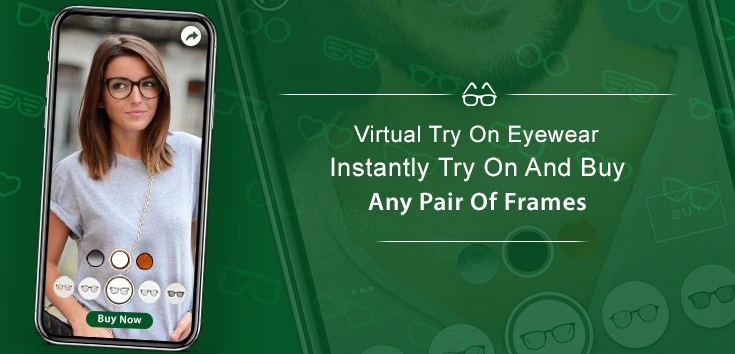
The eyewear ecommerce space is evolving fast, and customers now expect more than just product images before making a purchase. They want to see how frames look on their face, check the fit, and feel confident before checkout. This is exactly why Shopify eyewear virtual try on has become a game-changing feature for modern brands. If you’re running an eyewear store on Shopify, adding virtual try-on within 30 days is not only possible—it can significantly boost your conversions, reduce returns, and improve customer experience.
Why Shopify Eyewear Virtual Try-On Is Important
Adding Shopify eyewear virtual try on helps solve one of the biggest problems in online eyewear shopping—uncertainty. Customers hesitate because they cannot physically try frames, which leads to lower conversions and higher returns.
With virtual try-on, you can:
- Let customers see frames on their face in real time
- Improve buying confidence
- Reduce size and fit confusion
- Increase engagement and time on site
This makes it one of the most impactful upgrades for any Shopify eyewear store.
30-Day Roadmap to Add Virtual Try-On
Implementing Shopify eyewear virtual try on can be broken into a structured 30-day plan to ensure smooth execution.
Week 1: Planning and Platform Selection
In the first week, focus on understanding your requirements and selecting the right virtual try-on solution.
Key steps:
- Define your goals (increase conversions, reduce returns, etc.)
- Choose between WebAR or app-based solutions
- Research AR providers compatible with Shopify
- Check features like face tracking, PD estimation, and mobile support
Choosing the right solution is critical because it directly affects performance and user experience.
Week 2: Integration with Shopify Store
Once you finalize the platform, the next step is integrating it into your Shopify store.
Integration tasks:
- Install the AR tool or app
- Add “Try Now” or “Try on Face” buttons on product pages
- Ensure compatibility with your Shopify theme
- Optimize page speed and loading time
At this stage, your Shopify eyewear virtual try on feature should be functional and ready for testing.
Week 3: Product Mapping and Optimization
In week three, focus on preparing your product catalog for virtual try-on.
Important actions:
- Upload high-quality 3D or AR-ready models
- Map frames correctly to product listings
- Ensure accurate scaling and alignment
- Test different frame sizes and styles
Proper product setup ensures that customers get a realistic and reliable try-on experience.
Week 4: Testing, Launch, and Optimization
The final week is all about testing and launching your Shopify eyewear virtual try on feature.
Final steps:
- Test across multiple devices (mobile, tablet, desktop)
- Check camera functionality and tracking accuracy
- Gather feedback from users
- Optimize UI/UX for better engagement
After launch, monitor performance and continuously improve based on data.
Key Features to Include in Virtual Try-On
To maximize the impact of Shopify eyewear virtual try on, ensure your solution includes essential features:
- Real-time face tracking
- Accurate frame scaling
- Multiple angle viewing
- Easy style switching
- Mobile compatibility
Advanced features like face shape detection and recommendations can further enhance performance.
How Virtual Try-On Improves Conversions
One of the biggest benefits of Shopify eyewear virtual try on is its direct impact on conversions. When customers can see how frames look on their face, they feel more confident in their purchase.
Conversion benefits:
- Higher add-to-cart rates
- Reduced hesitation
- Faster decision-making
- Improved checkout completion
Reducing Returns with Better Fit Visualization
Returns are a major issue in eyewear ecommerce, often caused by poor fit or mismatched expectations. Virtual try-on helps customers make better decisions before buying.
Return reduction benefits:
- Accurate size perception
- Better frame selection
- Improved customer satisfaction
- Lower operational costs
Common Mistakes to Avoid
While implementing Shopify eyewear virtual try on, avoid these common mistakes:
- Using low-quality 3D models
- Ignoring mobile optimization
- Poor button placement (low visibility)
- Not testing across devices
Fixing these issues ensures a smooth and effective launch.
Future of Shopify Eyewear Virtual Try-On
The future of Shopify eyewear virtual try on is driven by AI and advanced AR capabilities. Features like personalized recommendations, real-time PD measurement, and improved realism will make the experience even better.
Brands that adopt early will gain a strong competitive advantage in the market.
Conclusion
Adding Shopify eyewear virtual try on within 30 days is a practical and high-impact strategy for any eyewear brand. It enhances customer confidence, improves conversions, and reduces returns—all while providing a modern and interactive shopping experience. By following a structured approach, you can successfully implement virtual try-on and take your Shopify store to the next level.
FAQ
1 How long does it take to add virtual try-on to Shopify?
You can implement it within 30 days with proper planning and execution.
2 What is Shopify eyewear virtual try on?
It is a feature that allows customers to try eyeglasses virtually using AR technology.
3 Does virtual try-on increase conversions?
Yes, it improves confidence and reduces hesitation, leading to higher sales.
4 Can it reduce returns?
Yes, it helps customers choose the right fit before purchasing.