
Nov 09 , 2025| 5 mins read
Top 10 Powerful Features of Augmented Reality: A Complete Guide
Augmented Reality (AR) is transforming the digital world by blending virtual elements with the real environment. It helps users visualize products, access information instantly, and interact with digital content as if it naturally exists in their surroundings. Whether it’s for shopping, gaming, education, interior design, or navigation, AR offers a smarter, more immersive experience that feels real and practical. Below are the top 10 core features of AR explained in detail.
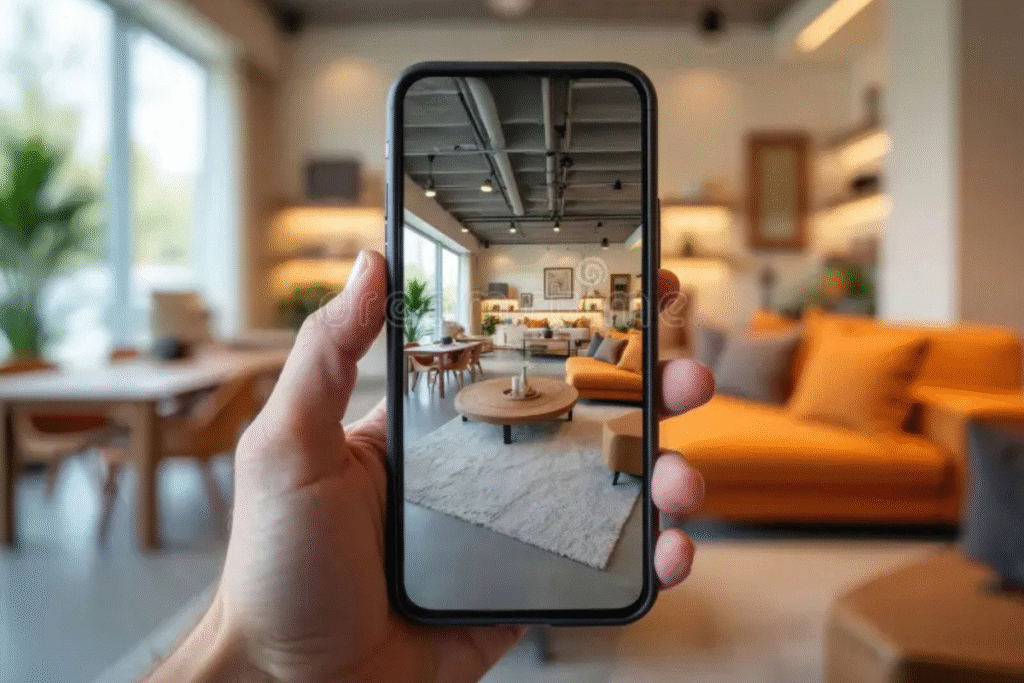
1. Real-Time Object Visualization
AR lets users place virtual objects into their real environment instantly, helping them see how products will look and fit in actual spaces. This removes guesswork and builds confidence when choosing furniture, décor, or lifestyle items. The feature creates an interactive and realistic preview that feels natural and easy to use. It significantly improves product understanding and reduces decision-making confusion.
Bullet Points:
- Place objects instantly in your real room
- Removes guesswork and confusion
- Helps in making confident purchase decisions
2. Accurate Size & Scale Adjustment
One of AR’s strongest features is its ability to display products in true-to-life scale. Users can see whether a sofa fits their room or how big a frame looks on a wall without taking physical measurements. This prevents wrong purchases and ensures items match the space perfectly. The accuracy makes AR extremely reliable for home décor, renovation, and online shopping.
Bullet Points:
- Shows products in real size
- Prevents choosing wrong dimensions
- Ideal for décor, renovation, and online buying
3. 360° Product Interaction
AR allows users to move, rotate, and explore objects from every angle, giving a full 360° view. Instead of relying on flat images, users can examine textures, colors, and details closely. This makes digital products feel more tangible and immersive. It also helps customers make confident choices, especially when buying items that require attention to detail.
Bullet Points:
- Rotate and view objects from all sides
- Check textures, colors, and details
- Makes products feel real and interactive
4. Environment Mapping & Surface Detection
AR can intelligently detect floors, walls, tables, and other surfaces so virtual objects can be placed accurately. This feature ensures that items don’t float or appear unnatural in the scene. By understanding depth, corners, and space, AR creates realistic placements that blend smoothly with the user’s surroundings. It improves the overall reliability of the visual experience.
Bullet Points:
- Detects walls, floors, and surfaces
- Prevents objects from floating unnaturally
- Creates smooth and realistic placement
5. Color & Material Preview
AR can intelligently detect floors, walls, tables, and other surfaces so virtual objects can be placed accurately. This feature ensures that items don’t float or appear unnatural in the scene. By understanding depth, corners, and space, AR creates realistic placements that blend smoothly with the user’s surroundings. It improves the overall reliability of the visual experience.
Bullet Points:
- Test multiple colors and textures
- Compare styles instantly
- Encourages creative experimentation
6. Real-Time Lighting Adaptation
This feature adjusts the virtual object based on the lighting conditions in the user’s environment. AR automatically adds shadows, brightness adjustments, and reflections to make the object appear natural. Whether the room is bright, dim, or unevenly lit, AR adapts accordingly. This increases realism and ensures users get a true preview of how the item will actually look.
Bullet Points:
- Matches room lighting automatically
- Adds shadows and reflections
- Makes objects look naturally placed
7. Virtual Try-On Experience
AR lets users virtually try items like glasses, jewelry, accessories, or even clothing. It works by overlaying realistic digital models onto the user’s face or body. This saves time, reduces returns, and allows users to test multiple styles instantly. The experience feels personal and fun, making online shopping far more interactive and user-friendly.
Bullet Points:
- Try accessories and clothes virtually
- Saves time and reduces returns
- Makes shopping more fun and personal
8. Interactive Step-by-Step Instructions
AR can guide users in real time by overlaying instructions on real objects, such as during furniture assembly or device setup. It shows exactly where each part goes, reducing errors and frustration. This hands-on learning style is faster and clearer than traditional manuals. It provides the feeling of being assisted by a live expert without needing one.
Bullet Points:
- Shows instructions on real objects
- Reduces mistakes and confusion
- Faster than reading manuals
9. AR Navigation & Wayfinding
AR offers live navigation by placing directional arrows and markers onto the user’s environment through their screen. This makes it easier to find locations inside malls, airports, museums, or large buildings. Users no longer need to interpret confusing maps—AR points them exactly where to go. It makes navigation intuitive and highly accurate.
Bullet Points:
- Live arrows show directions
- Works indoors and outdoors
- Makes navigation simple and accurate
10. Personalized Visual Recommendations
AR allows users to choose categories like room type, mood, or décor style and then suggests visuals accordingly. Whether someone wants a romantic bedroom, a calm office space, or modern wall décor, AR tailors recommendations instantly. This personalization speeds up decision-making and provides a more creative design experience. It helps users bring their vision to life effortlessly.
Bullet Points:
- Choose your room, mood, or style
- Get instant design suggestions
- Helps create your ideal space