
WebAR vs App-Based AR for Furniture Brands: Which One Converts Better?
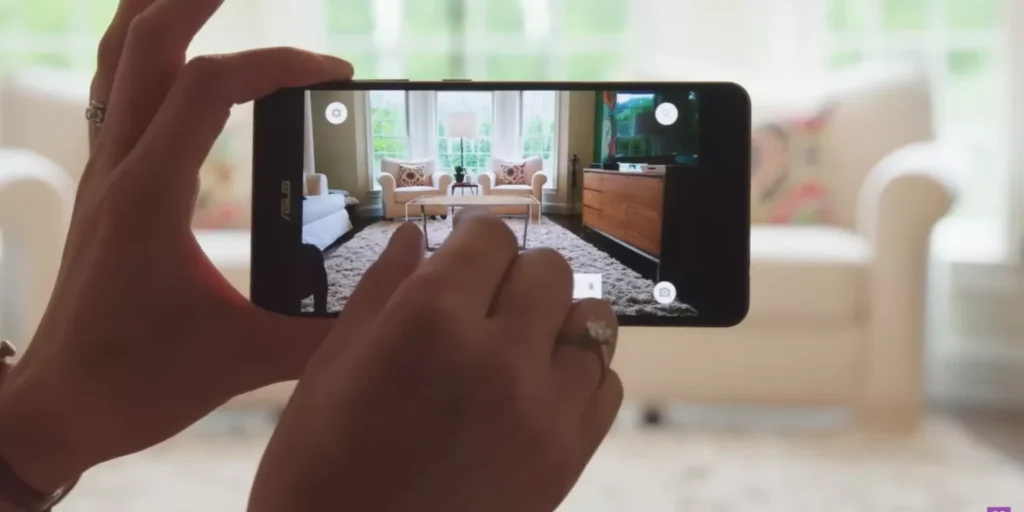
Furniture brands considering AR usually face an early technical decision: Should AR run inside a browser (WebAR) or inside a mobile app?
The short answer:
WebAR converts more traffic because shoppers can launch AR instantly from a product page.
App-based AR can deliver higher visual fidelity, but requires customers to install an app first.
For most ecommerce brands — especially Shopify / WooCommerce stores — WebAR typically drives higher usage and more measurable conversion impact because it removes the biggest barrier: app installation friction.
AR adoption is less about graphics perfection and more about how easily customers can try the product in their room.
- What This Guide Covers This article explains:
- What WebAR and app-based AR actually mean
- Why installation friction affects AR usage
- Which approach converts better in furniture ecommerce
- Where apps still outperform browsers
- Cost and implementation differences
- A simple decision framework for furniture brands
- Real examples from major ecommerce companies
Quick Answer: Which Converts Better? WebAR vs App-Based AR for Furniture Brands
In most ecommerce scenarios, WebAR converts better because it removes the need to download an app.
Conversion comparison:
Factor WebAR App-Based AR
Launch friction Very low High (install required)
PDP integration Direct Usually external
Usage rate Higher Lower
Visual fidelity Medium–High High
Ideal for Ecommerce PDPs Brand ecosystems
The biggest difference is accessibility.
A shopper browsing your website is far more likely to try AR if the experience launches instantly.
What Is WebAR?
Definition: WebAR is augmented reality that runs directly in a mobile browser without requiring an app installation.
The typical flow:
- Shopper opens a furniture product page
- Clicks “View in your room”
- Phone camera launches
- Product appears at real scale in the room
- The entire experience happens inside the browser.
- This approach works especially well with:
- Shopify stores
- WooCommerce stores
- Direct-to-consumer furniture brands
- Marketplace product pages
What Is App-Based AR?
Definition: App-based AR requires the shopper to install and open a mobile app before launching AR.
Typical flow:
- Shopper downloads brand app
- Opens the product inside the app
- Launches AR mode
- Places product in the room
This model became popular when AR technology first emerged, because early browsers lacked the capabilities required for AR rendering.
Today, modern smartphone browsers support AR natively through technologies like AR Quick Look and WebXR.
Why Installation Friction Matters for Conversion
The biggest challenge with app-based AR is customer drop-off during installation.
Typical friction chain:
Product page → install app → open app → find product → launch AR
Many users abandon the process before reaching the AR step.
WebAR removes these steps:
Product page → launch AR
For ecommerce conversion, fewer steps usually means higher engagement.
AR Usage Rate: The Hidden Conversion Driver
AR only affects conversion if shoppers actually use it.
Usage comparison:
Stage WebAR App AR
Visitors reaching PDP High Medium
Visitors launching AR Higher Lower
AR engagement time Moderate High
Conversion influence Strong Depends on install rate
Because WebAR launches instantly, more shoppers actually reach the AR experience.
Why Furniture Brands Prefer WebAR
Furniture is a context-dependent product.
Buyers need to answer questions like:
Will this sofa fit?
Does this table block walking space?
Does this match my room style?
Those decisions happen during the product page visit, not inside a separate mobile app.
WebAR works well because it keeps the decision process inside the PDP funnel.
When App-Based AR Still Makes Sense
Despite the advantages of WebAR, apps still offer some benefits.
App-based AR can be stronger when:
- The brand already has millions of app users
- AR requires very complex 3D interactions
- The brand offers advanced design tools
- The experience is part of a larger ecosystem
For example:
- Interior design apps
- Room planner apps
- Gaming-style furniture configurators
These use cases rely on deeper interaction than simple product placement.
WebAR vs App AR: Technical Differences
Feature WebAR App AR
Launch location Browser Mobile app
Installation required No Yes
Development cost Moderate Higher
Updates Instant App update required
Distribution Website traffic App users
Conversion focus PDP experience App engagement
For ecommerce brands focused on sales conversion, WebAR typically integrates more naturally.
Real-World Examples
Several large companies demonstrate both approaches.
Browser-based AR
Furniture brands using “View in Room” directly on PDPs
Ecommerce stores integrating AR with Shopify product pages
Marketplaces offering browser AR previews
App-based AR
Dedicated interior design apps
Early AR shopping experiments
Apps designed around immersive experiences
Over time, many brands have moved toward browser-based AR because it reaches more shoppers.
Implementation Effort: WebAR vs App AR
Approach Effort Timeline
WebAR pilot Moderate 30–60 days
WebAR catalog rollout Medium 2–4 months
App AR development High 4–12 months
For many ecommerce teams, the pilot approach is the most practical starting point.
Simple Decision Framework
If your goal is ecommerce conversion, ask these questions:
- Do customers discover products on your website?
→ WebAR usually fits best.
- Do most customers already use your mobile app?
→ App-based AR could make sense.
- Is AR meant to assist product decisions?
→ WebAR works well.
- Is AR part of a broader interactive platform?
→ App AR may be stronger.
In practice, many brands eventually support both, but start with WebAR.
Where WebAR Still Has Limitations
WebAR is powerful but not perfect.
Common limitations include:
- Device compatibility differences
- Lower rendering fidelity than native apps
- Browser performance constraints
- Dependence on model optimization
However, modern devices have significantly reduced these gaps.
Why WebAR Is Growing in Ecommerce
The ecommerce industry is moving toward browser-first experiences.
Reasons include:
- Faster deployment
- Lower development cost
- Better discoverability
- Easier integration with product pages
Because the purchase decision occurs on the product detail page, technologies that improve the PDP experience often have the most impact.
Want to test WebAR on your best-selling furniture products?
You can deploy Try in Room on 10–30 SKUs, measure engagement and add-to-cart lift, and scale only if the numbers justify it.
If helpful, we can help map a simple pilot plan for your catalog.
FAQ of WebAR vs App-Based AR for Furniture Brands
1. Is WebAR better than app AR for furniture ecommerce?
For most ecommerce brands, yes. WebAR typically reaches more shoppers because it launches instantly from the product page.
2 Does WebAR support real-scale furniture placement?
Yes. Modern WebAR systems allow products to be placed at true scale inside a room using a smartphone camera.
3 Do customers actually use AR on product pages?
Usage varies, but when the feature is clearly visible and loads quickly, a meaningful share of visitors interact with AR during the purchase decision.
4 Should furniture brands build their own AR app?
Only if the brand already has a large active mobile app user base. Otherwise, browser-based AR usually delivers faster adoption.