
Augmented Reality for Furniture Ecommerce: The Complete Guide (2026)
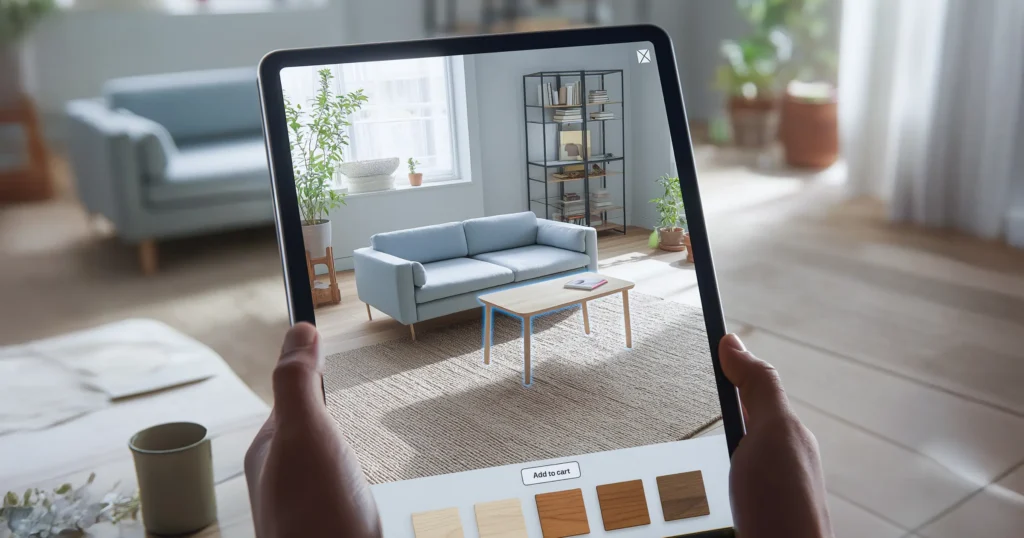
Many furniture brands don’t have only a traffic problem — they have a conversion confidence problem. Even if ads deliver clicks, furniture shoppers often can’t answer key questions from photos alone:
- Will this fit in my room?
- Is the scale right?
- Will it look good with my space and lighting?
Furniture AR (Try in Room) solves the post-click decision moment by letting shoppers place the product in their space at true scale using a phone camera. That typically increases PDP engagement and can improve add-to-cart and conversion. In some categories, it can also reduce fit/size expectation mismatches that contribute to returns. AR is a profitability lever, not a magic button — results depend on model quality, speed, accuracy, and overall PDP UX.
- What This Guide Covers
- What “augmented reality for furniture ecommerce” actually means
- Why furniture is one of the strongest AR categories
- What AR changes in the conversion funnel (PDP → ATC → CVR → returns feedback)
- Best product categories for furniture AR
- AR vs 360° product viewer vs photos (what actually helps conversion)
- Implementation options + realistic cost/effort ranges
- A 30–60 day pilot plan (founder-friendly)
- What to measure after launch
- Common reasons furniture AR pilots fail
- Live examples readers can recognize
The Core Problem: Furniture Buyers Fear Scale Mistakes
Quick answer: Furniture ecommerce is high-consideration because the cost of being wrong is high.
A sofa that’s “10% too large” is not a small mistake — it can break a room layout. The shopper’s anxiety is rational:
- Measuring is effort
- Dimensions are hard to visualize
- Photos can mislead scale
- The buyer can’t “feel” the product in space
- So what happens?
People click, browse, hesitate, and leave.
Or they buy and later regret: “It doesn’t fit.”
This is why increasing ad spend often fails: the brand is buying traffic, but the PDP isn’t resolving uncertainty fast enough
What Is Furniture AR (“Try in Room”)?
Definition: Furniture AR is an interactive shopping feature that allows customers to place a product’s 3D model into their real room through a smartphone camera at true scale, so they can evaluate size, placement, and style before purchase.
In simple terms: Meta/Google brings the customer to the PDP → AR helps the customer decide.
Why Furniture AR Improves Conversion Quality
Direct answer: AR improves conversion quality because it reduces uncertainty at the exact moment a shopper needs confidence.
Funnel impact table Metric Typical issue without AR How furniture AR helps
PDP engagement Shoppers scroll but still unsure Active exploration increases time and intent
Add-to-cart rate “Will it fit?” hesitation Confidence increases ATC
Conversion rate Decision delay or exit More buyers complete once scale is validated
Return risk (some cases) “Doesn’t fit / looks different” Better pre-purchase understanding reduces mismatch
Customer support load Many sizing/fit queries AR answers questions visually
Important: Lift depends on model realism, load speed, traffic quality, and PDP fundamentals (trust, shipping clarity, reviews).
Why Furniture Is a Top AR Category
Furniture AR works because it solves three high-friction questions:
- Scale — “Is it too big/small?”
- Fit — “Does it fit the space and flow?”
- Harmony — “Does it match my room?”
Many ecommerce categories can succeed with photos + 360. Furniture is different: the room is part of the product decision.
- Best Furniture Categories for AR (Where Lift Is Often Strongest)
- Sofas & sectionals: placement, walking space, proportional feel
- Beds & headboards: scale vs bedroom size, alignment with walls
- Dining tables & chairs: clearance, seating count, harmony
- Storage (wardrobes/cabinets): depth, door swing, constraints
- Decor (rugs, lamps, mirrors): style context and spacing
Rule of thumb:
The larger and more space-dependent the product, the more valuable AR becomes.
AR vs 360° Product Viewer vs Photos (Reality Check)
Quick answer: 360° helps inspect the product. AR helps validate fit in the room.
Feature Photos/Video 360° Viewer AR Try in Room
Shows angles Yes Yes (better) Yes
Shows true scale in room No No Yes
Answers “Will it fit here?” Weak Weak Strong
Implementation complexity Low Medium Medium–High
Best for All products Detail inspection Fit + placement decisions
If you sell furniture, the most valuable conversion question is usually:
“Will it fit in my room?”
- That’s AR’s strongest advantage.
- How Furniture AR Works (Non-Technical)
- Most browser-based flows look like this:
- Brand uploads a 3D model (true-to-scale)
- PDP shows a “View in your space” / “Try in room” button
- Shopper taps → phone camera opens
- System detects floor/wall planes
- Product appears at real scale
- Shopper moves around and validates fit
Key success requirement:
If the model is heavy or scale is wrong, AR can reduce trust instead of increasing it.
Implementation Options and Cost/Effort Ranges (Practical)
Approach What you ship Best for Effort
Pilot (10–30 SKUs) AR on hero products + tracking events + above-the-fold CTA Proof-of-value Low–Med
Category rollout AR across a full category + merchandising workflow Scaling paid traffic Med
Full catalog + workflow AR becomes default for launches; optimized 3D pipeline Large catalogs High
Founder note:
Start with a pilot. Don’t attempt full catalog AR on day 1 unless you already have an established 3D pipeline.
30–60 Day Pilot Plan (Founder-Friendly)
Goal: Prove measurable lift on real traffic without breaking revenue.
Step-by-step pilot
Pick SKUs:
Top 10–30 products by traffic + margin (sofas, beds, dining tables).
Define success metrics:
AR opens, time in AR, ATC rate, CVR, AOV, fit-related return reasons.
CTA placement:
Above the fold near gallery + dimensions.
Avoid burying AR below long descriptions.
Experiment setup:
Compare AR-enabled PDPs vs baseline or similar non-AR products.
If possible, split test on the same SKU.
Route paid traffic:
Send some Meta/Google traffic directly to AR-enabled PDPs.
Use ad copy like “See it in your room.”
Iterate weekly:
Improve model load time, scaling accuracy, and CTA clarity.
Scale decision:
Expand only if you see meaningful lift in ATC/CVR or meaningful reduction in fit hesitation.
- What to Measure After Launch (Minimum Metrics)
- AR button click rate (PDP → AR open)
- Time spent in AR (median + 75th percentile)
- Add-to-cart rate lift
- Conversion rate lift
- AOV impact (premium variants, upsells)
- Return reasons (size/fit mismatch)
- Qual feedback: “helped me visualize” / “too slow” / “looks inaccurate”
- Why Furniture AR Projects Fail (Reality Check)
Furniture AR underperforms when:
- Models are too heavy → slow loads kill intent
- Scale is wrong → trust collapses instantly
- Materials look fake → premium perception drops
- PDP fundamentals are weak → unclear delivery/returns, no reviews, poor photos
- No measurement → teams can’t prove lift or improve experience
- Quick answer: AR multiplies good fundamentals. It doesn’t fix broken basics.
- Live Examples Readers Can Recognize Quickly
- These examples matter because they make the behavior change obvious:
- IKEA Place — popularized true-to-scale placement and room fit validation
- Wayfair “View in Room” style experiences — large-catalog proof of use-case
- Amazon AR View — mainstream adoption of “see it in my room” shopping
- Shopify ecosystem signal — Shopify highlights conversion lift when merchants add 3D content, positioning it as a confidence tool
FAQ of Augmented Reality for Furniture E-commerce
1 Does augmented reality for furniture ecommerce increase conversion?
It can, especially for large items where scale uncertainty is high. The most common early wins are improved PDP engagement and add-to-cart, which can translate into conversion lift if the AR experience is fast and accurate.
2 Is AR better than a 360° product viewer for furniture?
They do different jobs. 360° helps inspect product detail. AR helps validate fit in the room at true scale. For furniture, AR is often more directly tied to the main hesitation trigger.
3 How many products should we start with?
Start with 10–30 hero SKUs. A focused pilot is easier to measure and optimize than a full-catalog rollout.
4 What should we measure to prove ROI?
AR opens, time in AR, ATC lift, conversion lift, AOV shifts, and return reasons related to size/fit in room where available.